2025-10-22
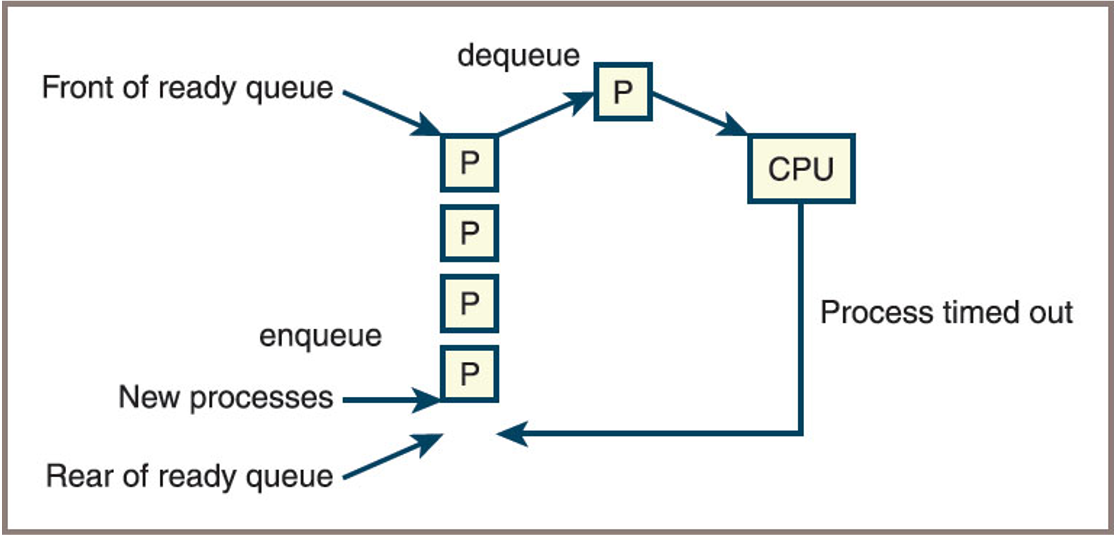
Two fundamental operations:
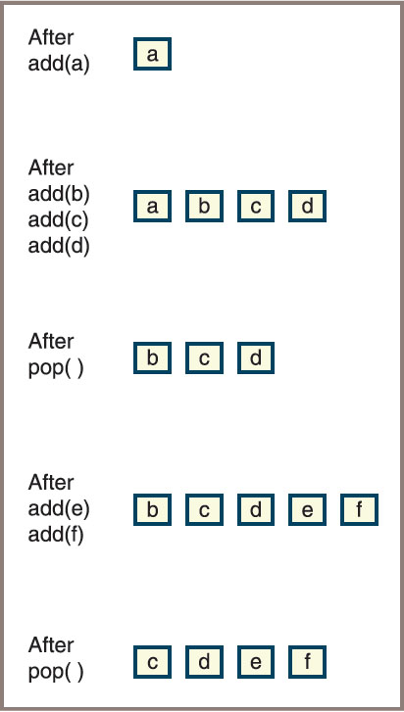
add: adds an item to the rear of the queue
add operation is enqueuepop: removes an item from the front of the queue
pop operation is dequeuea is addedb, c, and d are addedappend to add an item to the rear of the queuepop to remove and return the item at the front of the queuepeek operation is useful to return the item at the front of the queue without removing it| Queue Method | What It Does |
|---|---|
| q.isEmpty() | Returns True if q is empty or False otherwise. |
| len(q) | Same as len(q). Returns the number of items in q. |
| str(q) | Same as str(q). Returns the string representation of q. |
| q.__iter__() | Same as iter(q), or for item in q. Visits each item in q, from front to rear. |
| q.__contains__(item) | Same as item in q. Returns True if item is in q or False otherwise. |
| Queue Method | What It Does |
|---|---|
| q1__add__(q2) | Same as q1 + q2. Returns a new queue containing the items in q1 followed by the items in q2. |
| q.__eq__(anyObject) | Same as q == anyObject. Returns True if q equals anyObject or False otherwise. Two queues are equal if items match. |
| q.clear() | Makes q become empty. |
| q.peek() | Returns the item at the front of q. Precondition: q must not be empty; raises a KeyError if the queue is empty. |
| q.add(item) | Adds item to the rear of q. |
| q.pop() | Removes and returns the item at the front of q. Precondition: q must not be empty; raises a KeyError if empty. |
| Operation | State of the Queue after Operation | Value Returned | Comment |
|---|---|---|---|
| q = |
Initially, the queue is empty. | ||
| q.add(a) | a | The queue contains the single item a. | |
| q.add(b) | a b | a is at the front of the queue and b is at the rear. | |
| q.add(c) | a b c | c is added at the rear. | |
| q.isEmpty() | a b c | False | The queue is not empty. |
| len(q) | a b c | 3 | The queue contains three items. |
| q.peek() | a b c | a | Return the front item on the queue without removing it. |
| q.pop() | b c | a | Remove the front item from the queue and return it. b is now the front item. |
| q.pop() | c | b | Remove and return b. |
| q.pop() | c | Remove and return c. | |
| q.isEmpty() | True | The queue is empty. | |
| q.peek() | exception | Peeking at an empty queue throws an exception. | |
| q.pop() | Exception | Trying to pop an empty queue throws an exception. | |
| q.add(d) | d | d is the front item. |
LinkedStack and LinkedQueue classes
pop removes the first node in the sequence in both collectionsLinkedQueue.add and LinkedStack.push differ:
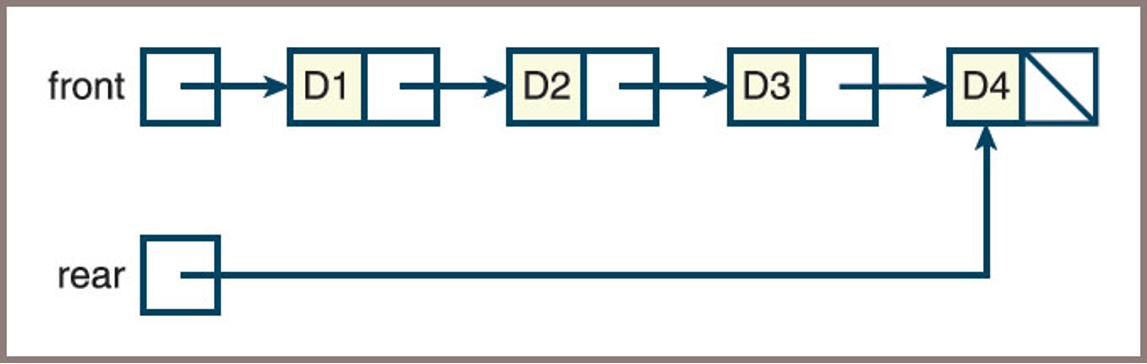
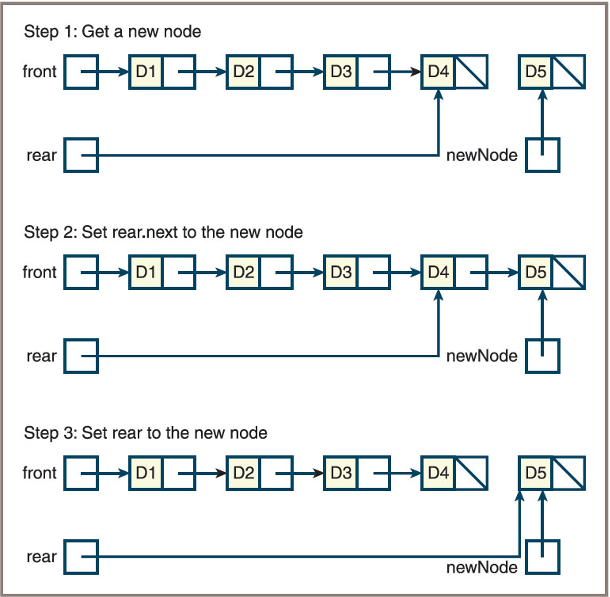
push adds a node at the head of the sequenceadd adds a node at the tailrear of the LinkedQueue class are given an initial value of Nonesize , already defined in the collection framework, tracks the number of elements currently in the queueadd operation,
rear to the new nodefront and rear pointers must both be set to Nonerear, that points to the last item at position n − 1
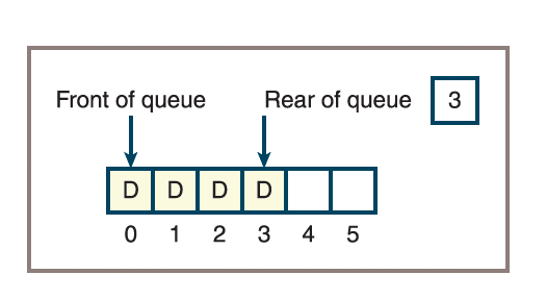
You can avoid pop ’s linear behavior by not shifting items left each time the operation is applied
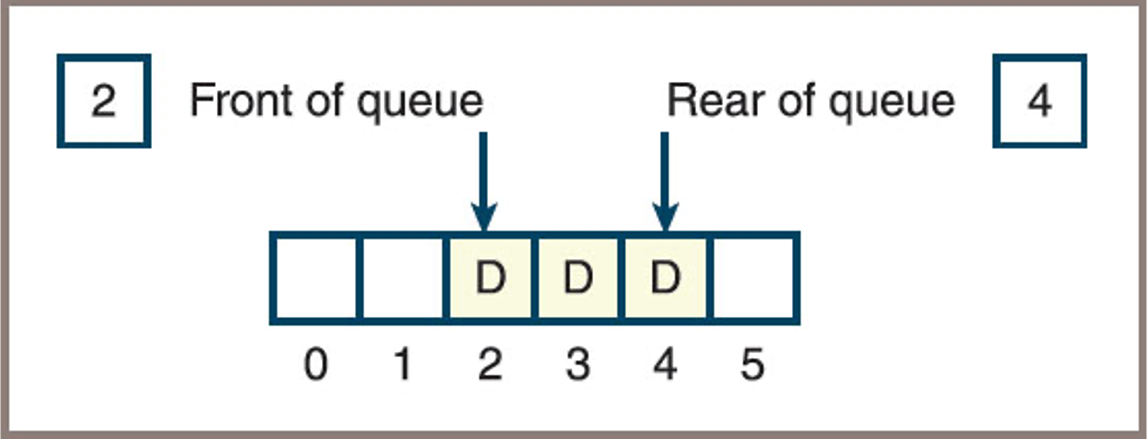
The modified implementation maintains a second index, called front , that points to the item at the front of the queue The front pointer starts at 0 and advances through the array as items are popped
Figure below shows such a queue after five add and two pop operations
By using a circular array implementation, you can simultaneously achieve good running times for both add and pop
The implementation resembles the previous one in one respect: the front and rear pointers both start at the beginning of the array
Figure below wraps data around a circular array implementation of a queue

front pointer set to 0for loop to copy items to the new array, starting at position 0 in that arrayitems variable to the new arrayfront to 0 and rear to the queue’s length minus 1