Animations
Fred Agbo
October 7, 2026
Happy to Wednesday!
- Class grouping today: Scan the QR code or go to https://tools.jedrembold.prof/daily
- Class code is
UhT95 - Introduce yourselves! What is your favorite art animation?

Quick Announcements
- Midterm exam grading was posted
- Average grade was 72%, which is not so bad but needs a lot of improvement in understanding of contents
- Problem Set 4 is due next week Monday at 10 pm
- No class on Friday October 9. Its Mid-semester Break!
- Don’t forget to attend your session meeting (Today/Tomorrow)
Review
- Recall the Clicky Problem on Monday class?
- Add a black filled background rectangle to the window the same size as the window
- Add a listener so that when the mouse is clicked, the background rectangle changes to a new random color
- Add a while filled circle somewhere near the middle (no need to be exact)
- Add a listener so that when the mouse is double clicked, the circle moves down the screen one diameter’s distance
Line Art
- Suppose we want to make a basic drawing program
- When the user presses the mouse down, we start drawing a line
- As the user drags the mouse around, we actively update the placement of that line to end at the users cursor
- When the user releases the mouse button, we lock that line onto the screen
- Now a new click starts drawing a new line
Fixed Line-Drawing
from pgl import GWindow, GLine

WIDTH = 500
HEIGHT = 500

def draw_lines():
    def mousedown_event(e):
        x = e.get_x()
        y = e.get_y()
        gw.line = GLine(x,y,x,y)
        gw.add(gw.line)

    def drag_action(e):
        gw.line.set_end_point(e.get_x(), e.get_y())

    gw = GWindow(WIDTH, HEIGHT)
    gw.line = None
    gw.add_event_listener("mousedown", mousedown_event)
    gw.add_event_listener("drag", drag_action)

if __name__ == '__main__':
    draw_lines()
Timer Events
- Previously we looked at how our programs could react to mouse events
- Can also listen for timer events, which occur after a specific time interval
- You specify the listener for a timer event in the form of a callback function that is invoked at the end of the time interval
- Can add animation to our graphics by creating a timer whose callback
makes small updates to the graphical objects in the window
- If the time interval is short enough (usually sub 30 milliseconds), the animations will appear smooth to the human eye
Timer Types
- PGL supports two kinds of timers:
- A one-shot timer invokes its callback only
once after a specified delay
Created with
gw.set_timeout(function, delay)
- An interval timer invokes its callback function
repeatedly at regular intervals
Created with
gw.set_interval(function, delay)
- In both,
functionis the callback function anddelayis the time interval in milliseconds
- A one-shot timer invokes its callback only
once after a specified delay
- Both methods return a
GTimerobject that identifies the timer, and can be stopped by invoking the.stop()method on that timer
Moving Square
def moving_square():
    def step():
        square.move(dx, dy)
        if square.get_x() > 500:
            timer.stop()

    gw = GWindow(500, 200)
    dx = 1
    dy = 0
    square = create_filled_rect(12, 100, 24, 24, "red")
    gw.add(square)
    timer = gw.set_interval(step, 20)
Growing Circles
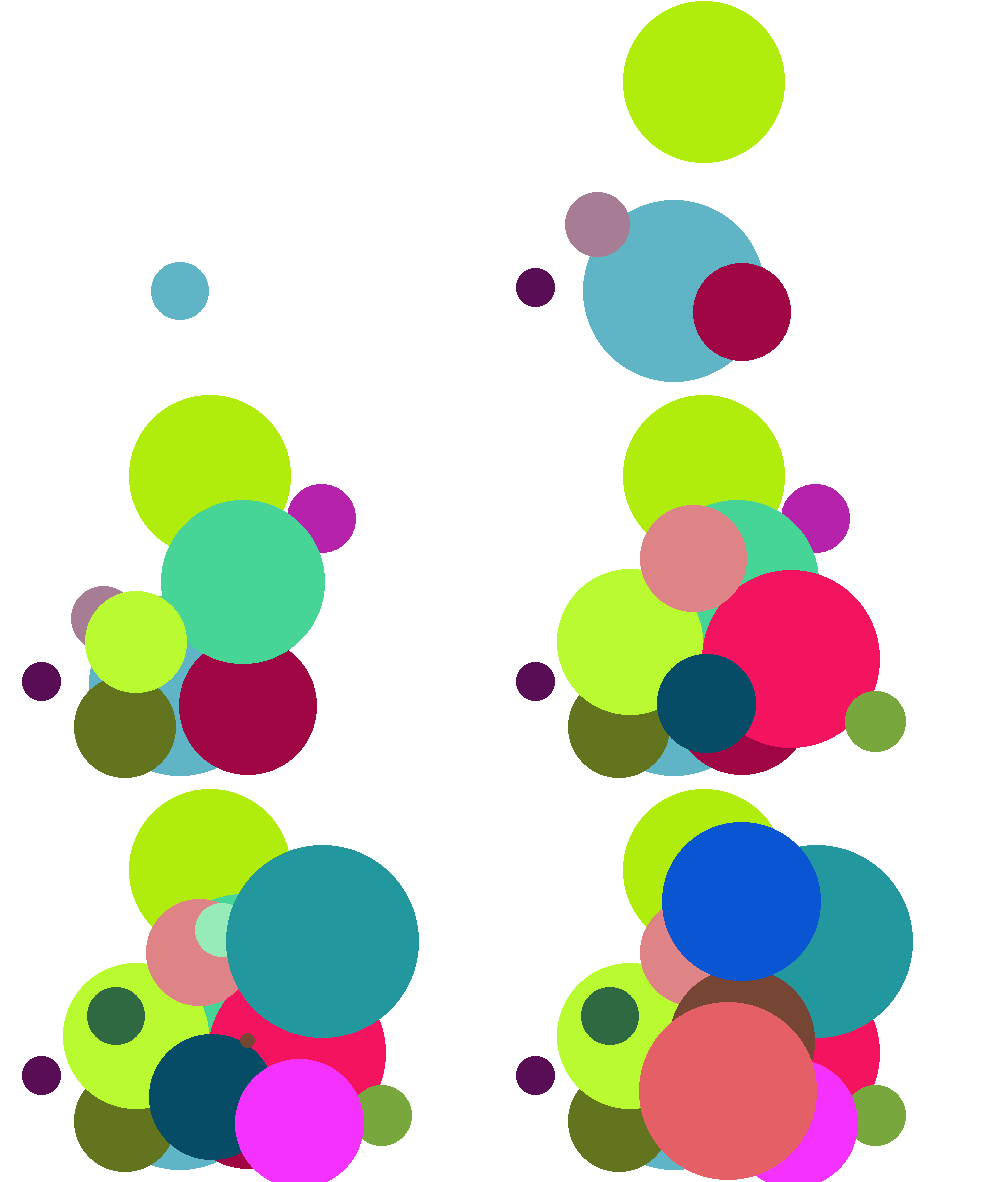
Waiting vs Events
Many would probably try to approach this doing something like as follows:
def growing_circles():
  gw = GWindow(WIDTH, HEIGHT)
  for i in range(NUM_CIRCLES):
      # Create a new circle
      # Animate the circle to grow it
      # Wait for the animation to complete
The problem here is that there is no clear way to “wait” for an animation to complete
- Code you write runs basically instantly or when run by a callback
Instead need an event callback that takes care of both circle creation (when needed) and growing animations
Using Events Wisely
- Need to keep track of what the program should be doing, and then have the timer callback function handle whatever is needed
- Conceptually, for these circles, might look more like this:
def step():
    if """ there is a circle still growing """
        """then increase its size """
    elif """ a new circle needs to be created """
        """ then create one """
    else:
        timer.stop()
Making those circles grow!
from pgl import GWindow, GOval
import random

GWIDTH = 500
GHEIGHT = 400
N_CIRCLES = 20
MIN_RADIUS = 15
MAX_RADIUS = 100
DELTA_TIME = 10
DELTA_SIZE = 1

def random_color():
    color = "#"
    for i in range(6):
        color += random.choice("0123456789ABCDEF")
    return color

def create_filled_circle(x, y, r, color="black"):
    circ = GOval(x-r, y-r, 2*r, 2*r)
    circ.set_filled(True)
    circ.set_color(color)
    return circ

def growing_circles():
    def start_new_circle():
        r = random.uniform(MIN_RADIUS, MAX_RADIUS)
        x = random.uniform(r, GWIDTH - r)
        y = random.uniform(r, GHEIGHT - r)
        gw.circle = create_filled_circle(
                            x, y,
                            0, random_color()
                        )
        gw.desired_size = 2 * r
        gw.current_size = 0
        gw.circles_created += 1
        return gw.circle

    def step():
        # Grow a circle if needed
        if gw.current_size < gw.desired_size:
            gw.current_size += DELTA_SIZE
            x = gw.circle.get_x() - DELTA_SIZE / 2
            y = gw.circle.get_y() - DELTA_SIZE / 2
            gw.circle.set_bounds(
                            x, y,
                            gw.current_size,
                            gw.current_size
                        )
        # or add a circle if you can
        elif gw.circles_created < N_CIRCLES:
            gw.add(start_new_circle())
        # or stop
        else:
            timer.stop()

    gw = GWindow(GWIDTH, GHEIGHT)
    gw.circles_created = 0
    gw.current_size = 0
    gw.desired_size = 0
    timer = gw.set_interval(step, DELTA_TIME)
growing_circles()
Simulation
- Our technique of piecing together many small movements to resemble motion is not limited to just making pretty animations!
- Physicists use similar techniques to break complex problems into
simple pieces
- “In this small time interval, the motion is simple”
- Chain together many time intervals to construct the full motion
- There are many areas where this is the only way to solve a problem, as we can not write down equations to express the result otherwise!
The Two Body Problem
from pgl import GWindow, GOval, GLine
def two_body():
    def create_filled_circle(x, y, r, color="black"):
        circ = GOval(x-r, y-r, 2*r, 2*r)
        circ.set_filled(True)
        circ.set_color(color)
        return circ
    def step():
        # Compute forces and accelerations
        dx = planet1.get_x() - planet2.get_x()
        dy = planet1.get_y() - planet2.get_y()
        r3 = (dx ** 2 + dy ** 2) ** (3 / 2)
        ax = 1000 / r3 * dx
        ay = 1000 / r3 * dy

        # Update velocities
        gw.vx1 += -ax
        gw.vy1 += -ay
        gw.vx2 += ax
        gw.vy2 += ay

        # Augment history paths
        path1 = GLine(
            planet1.get_x() + 10,
            planet1.get_y() + 10,
            planet1.get_x() + 10 + gw.vx1,
            planet1.get_y() + 10 + gw.vy1,
        )
        path1.set_color("red")
        path1.set_line_width(3)

        path2 = GLine(
            planet2.get_x() + 10,
            planet2.get_y() + 10,
            planet2.get_x() + 10 + gw.vx2,
            planet2.get_y() + 10 + gw.vy2,
        )
        path2.set_color("cyan")
        path2.set_line_width(3)

        # Move planets
        planet1.move(gw.vx1, gw.vy1)
        planet2.move(gw.vx2, gw.vy2)

        gw.add(path1)
        gw.add(path2)

    gw = GWindow(600, 600)
    # Defining state variables
    gw.vx1, gw.vy1 = 0, 1
    gw.vx2, gw.vy2 = 0, -1

    planet1 = create_filled_circle(200, 200, 10, "red")
    planet2 = create_filled_circle(400, 200, 10, "cyan")

    gw.add(planet1)
    gw.add(planet2)

    gw.set_interval(step, 10)

if __name__ == '__main__':
    two_body()
Group Review Question!
When the function rev_q is called, what
happens when the mouse is clicked in the window?
- The square shrinks
- The square gets filled
- The square shrinks and then gets filled
- The square gets filled and then shrinks
def rev_q():
    def act_A(e):
        sq.set_filled(True)
    def act_B(e):
        sq.set_size(
            sq.get_width() - 10,
            sq.get_height() - 10
        )
    gw = GWindow(500, 500)
    sq = GRect(200, 200, 100, 100)
    sq.set_color("blue")
    gw.add(sq)
    gw.add_event_listener("mousedown", act_B)
    gw.add_event_listener("click", act_A)
Problem 1: Tracing Understanding
When the function to the right is run, what does the screen look like just after 1 second has passed?
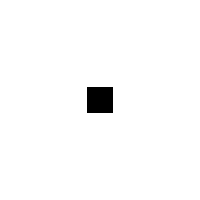
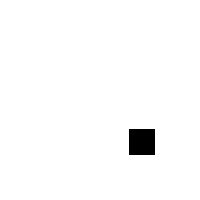
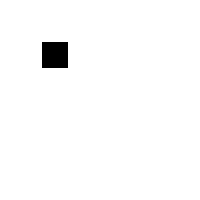
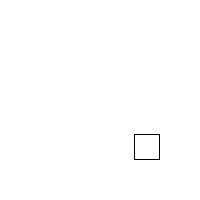
def mystery():
    def enigma():
        rect.move(1, 1)

    def puzzle():
        rect.set_filled(True)

    gw = GWindow(200, 200)
    rect = GRect(0, 0, 25, 25)
    gw.add(rect)
    gw.set_interval(enigma, 20)
    gw.set_timeout(puzzle, 1000)
Problem 2: The Setup
- This is a coding problem, work in pairs or trios on a single computer
- In
SquareFun.py, I’ve drawn an initial box for you - Your task is cause the square to move horizontally across the screen such that it takes exactly 5 seconds to cross entirely
Problem 2b: The Growth
- Switch who is typing!
- Now, we want the box to also increase in size as it moves across the screen
- Until it reaches a size of 100 pixels, then it stops growing (but keeps moving)
Problem 2c: Symmetric Growth
- Switch who is typing!
- The box grows from the top left corner atm, which looks weird
- Add logic to also adjust the position of the box so that it seems to grow from the center
Problem 2d: Target Time!
- Switch who is typing!
- I’ve provided you a function that “throws a dart” to a specified position
- Add a timeout so that the dart is thrown when it would strike the center of the box
Problem 2e: Moving the Dart
- Switch who is typing!
- Even if the dart hits the box, the box moves out from under it currently, which looks weird
- Add logic so that the dart is moved along with the box once it hits the board
- This will likely require accessing the same dart object in multiple callback functions, one of which assigns it. How can you manage this?